
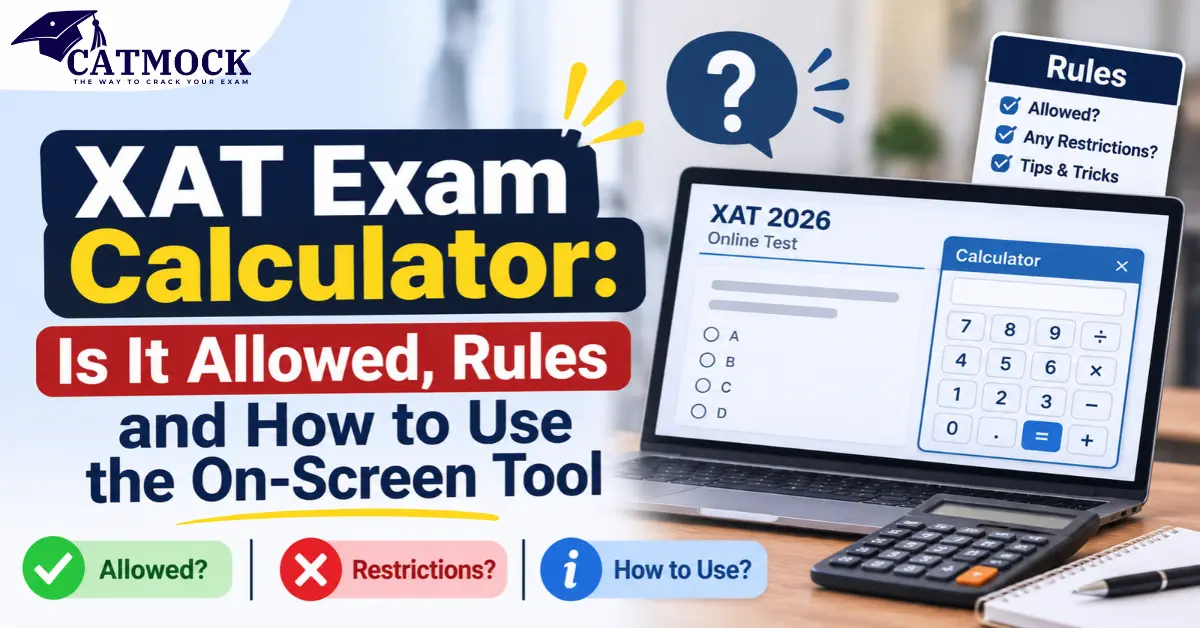
“Can I use a calculator in XAT?” is one of the most common questions before the exam, and the honest answer is a little more specific than a plain yes or no. The XAT exam calculator is an on-screen tool inside the test interface, available in the Quantitative Aptitude & Data Interpretation section. You cannot carry your own.
This guide explains the XAT exam calculator rules, what changed between XAT 2025, XAT 2026 and XAT 2027, and how to use the tool without losing time.
Quick answer
- Is calculator allowed in XAT? Yes, but only the on-screen calculator.
- Physical calculator: not allowed. Calculators are on the official prohibited-items list.
- Where it appears: the official XAT 2026 instructions place it in the top-right corner of the Quantitative Aptitude & DI section.
- XAT 2027 (3 January 2027): an on-screen scientific calculator is reported. Official XAT 2027 instructions had not been published when we checked.
How we verified this: the XAT 2025 and XAT 2026 rules come from the official “Important Instructions” documents on xatonline.in. XAT 2027 details come from reports citing XLRI, and we label them as reported.
Also Read: XAT Last Date to Apply 2027: Deadline, Extension & Correction Windows
Is Calculator Allowed in XAT? (XAT Calculator Allowed or Not)
Yes and no, depending on which calculator you mean.
| Item | Allowed? | Source level |
|---|---|---|
| On-screen calculator inside the test interface | Yes, in the QA & DI section | Official XAT 2025 and 2026 instructions |
| Your own physical calculator | No | Official prohibited-items list |
| Calculator on a phone, smartwatch or any electronic device | No | Official: mobile phones, electronic devices and watches are prohibited |
| Pen/pencil of your own | Yes, carry it yourself | Official |
| Rough sheets | Provided at the centre; submit them after the exam | Official |
So when someone asks “can we use calculator in XAT”, the correct answer is: yes, the one the exam gives you on screen.
XAT On-Screen Calculator Rules
The XAT on screen calculator rules are short and clear. According to the official XAT 2026 instructions (the official XAT 2025 instructions say the same), these are the points that matter:
- An on-screen calculator is accessible in the top-right corner of the Quantitative Aptitude & DI section.
- Calculators are listed as “Not Allowed” in the table of items you may not bring.
- Venue rules also bar electronic devices, watches and calculators inside the test centre premises.
- Carry only your admit card and original photo ID, plus your own pen or pencil. Rough sheets are provided and must be handed back, along with your admit card.
Read the full text on the official XAT 2026 important instructions. If anything in this guide differs from the document you receive for your own test, follow the official one.
XAT QA DI Calculator: Where Exactly Does It Appear?
The official wording ties the calculator to the Quantitative Aptitude & DI section. That section has 28 questions in XAT, out of 75 questions in Part 1 (Decision Making has 21 and Verbal Ability & Logical Reasoning has 26).
Some prep sites say the calculator is also available in Decision Making. The official instructions we read do not say that. Treat the XAT calculator in Quantitative Aptitude as the confirmed case, and check the interface once your test starts instead of assuming it will appear in other sections.
XAT Physical Calculator Allowed? Why Your Own Device Stays Outside
Short answer: no. The official instructions list calculators among the prohibited items, along with mobile phones, other electronic or Bluetooth devices, books and papers, and analogue, digital or smart watches. Venue instructions repeat the ban for the centre premises.
Practically, this means:
- Do not plan your preparation around a handheld device or phone calculator.
- Do not carry one “just in case”. It can create unnecessary trouble at security checks.
- Practise with an on-screen calculator replica so the layout feels familiar.
XAT Scientific Calculator: What Does the Tool Offer?
XLRI’s announcement for XAT 2025 (28 November 2024, as reported) described the tool as an on-screen scientific calculator, and later reports for XAT 2027 use the same wording. The official instructions themselves say “on-screen calculator”, so expect a built-in scientific-style tool but verify on the day.
Practice replicas of the XAT scientific calculator typically show these groups of functions. The live exam tool may differ slightly.
| Function group | Typical keys |
|---|---|
| Basic | Digits, + – × ÷, %, brackets, clear, backspace |
| Powers and roots | Square, cube, x to the power y, square root, cube root, reciprocal |
| Logarithms | log, ln, other bases |
| Trigonometry | sin, cos, tan and inverses, degree/radian toggle |
| Other | Factorial, pi, e, memory keys |
For most Quantitative Aptitude and DI work, the keys you are likely to lean on are the basic ones, percentages, powers, roots and logarithms.
XAT 2026 On-Screen Calculator vs XAT 2027 Calculator
| Exam | Date | Calculator status | Confidence |
|---|---|---|---|
| XAT 2025 | 5 January 2025 | On-screen scientific calculator announced by XLRI on 28 November 2024; official instructions place it in QA & DI | Official instructions confirmed; announcement as reported |
| XAT 2026 | 4 January 2026 | On-screen calculator in the QA & DI section; physical calculators prohibited | Official instructions |
| XAT 2027 | 3 January 2027, 2:00 PM to 5:00 PM (reported) | On-screen scientific calculator reported; physical calculators not allowed | Reported; confirm in the official XAT 2027 instructions |
For XAT 2027, the pattern is reported to be unchanged: 95 questions in 180 minutes, with Part 1 (75 questions, 170 minutes) and a 10-minute General Knowledge part of 20 questions. Registration is reported to run until 6 December 2026, and the admit card is expected around 20 December 2026 (tentative).
A word of caution: some older pages still say XAT gives no on-screen calculator. That claim contradicts the official XAT 2025 and 2026 instructions, so ignore it.
XAT Exam Calculator Guidelines: Smart Ways to Use It
The calculator removes arithmetic errors, but not the clock. In Part 1, you have 170 minutes for 75 questions, which is about 2.3 minutes per question on average (170 divided by 75). The tool helps most where arithmetic is heavy and least where the logic is the hard part.
| Situation | Calculator or mental/rough sheet? |
|---|---|
| Multi-step data interpretation with percentages and ratios | Calculator |
| Large multiplications and divisions (4-digit numbers) | Calculator |
| Roots, powers and logarithms | Calculator |
| Simple percentage of a round number (10%, 25%, 50%) | Mental |
| Number properties, divisibility, factors | Mental or rough sheet |
| Geometry and algebra set-up | Rough sheet first, calculator for the final arithmetic |
| Decision Making and Verbal Ability | Not needed (the official wording mentions the calculator only for QA & DI) |
This table is our strategy guidance, not an official rule.
Three habits make the difference:
- Estimate first. A quick mental estimate catches a mistyped number before you commit to an answer.
- Write the setup on the rough sheet. Typing a long expression without notes is where most errors happen.
- Do not open it for easy sums. Switching to the calculator and back costs seconds that add up across 28 questions.
For the full paper breakdown, see our XAT exam pattern and syllabus guide.
How to Practise With the XAT On-Screen Calculator
- Use an on-screen replica while solving QA & DI sets, so your fingers learn the layout. Remember that a replica may not match the live tool exactly.
- Time your sets twice: once with the calculator and once without, and note where it actually saves time.
- Take full-length mocks in a computer-based format. Check your XAT dashboard too, in case XLRI provides practice material.
- Review errors by type: calculation slips, setup errors or time loss. The calculator only fixes the first.
- Build a short list of calculations you will always do on screen (for example, compound growth or square roots), and ones you will always do by hand.
If you landed here looking for marks-to-percentile estimates, that is a different tool
Read our blog on XAT Percentile Calculator 2027: Official Formula, Score Conversion & How to Calculate
Common Myths About the XAT Exam Calculator
| Myth | What is actually true |
|---|---|
| “XAT has no calculator at all” | Not for XAT 2025 and 2026: an on-screen calculator appears in the QA & DI section per the official instructions |
| “I can carry a basic calculator” | No. Calculators are prohibited items |
| “The calculator is available in every section” | The official instructions mention it for QA & DI only |
| “With a calculator, QA gets easy” | The tool speeds up arithmetic, not problem setup or choosing the right approach |
| “The tool replaces practice” | Time per question stays the same, so speed and accuracy still matter |
Summary on XAT Exam Calculator 2027
- The XAT exam calculator is an on-screen tool, not a handheld one.
- Official XAT 2025 and 2026 instructions place it in the Quantitative Aptitude & DI section and prohibit personal calculators.
- XAT 2027 (3 January 2027) is reported to offer an on-screen scientific calculator. Check the official instructions when XLRI releases them.
- Expect scientific-style keys, and practise on a replica.
- Use it for heavy arithmetic, and do easy sums mentally. Your average is about 2.3 minutes per question in Part 1.
- Carry only your admit card, original photo ID and a pen or pencil; rough sheets are provided.
Frequently Asked Questions: XAT Exam Calculator 2027
1. Is calculator allowed in XAT?
Yes, but only the on-screen calculator that appears inside the test interface. Personal, handheld, phone and smartwatch calculators are not allowed. The official instructions list calculators among prohibited items.
2. Can we use calculator in XAT 2027?
Reports citing XLRI say an on-screen scientific calculator will be available in XAT 2027, which is scheduled for 3 January 2027, and that physical calculators remain banned. Official XAT 2027 instructions had not been published when we checked, so confirm the final wording there.
3. Is a physical calculator allowed in XAT?
No. The official instructions list calculators as “Not Allowed” and ban electronic devices, watches and calculators on the centre premises. Rely only on the on-screen tool.
4. Is the XAT on-screen calculator scientific?
XLRI’s XAT 2025 announcement described it as a scientific calculator, as reported, and reports for XAT 2027 repeat this. The official instructions only say “on-screen calculator”, so expect scientific-style functions but check the live tool.
5. In which section is the XAT calculator available?
The official XAT 2025 and 2026 instructions say the on-screen calculator is accessible in the top-right corner of the Quantitative Aptitude & DI section. They do not mention it for other sections.
6. Can I use the calculator in Decision Making or Verbal Ability?
The official instructions do not say so. A few prep sites claim the calculator is available in Decision Making too, but you should not depend on that. These sections rely on logic and reading rather than arithmetic.
7. What can I carry into the XAT exam centre?
Carry your admit card, original photo ID and your own pen or pencil. Rough sheets are provided and must be returned with the admit card at the end. Phones, calculators, watches, books and other electronic items are prohibited.
8. How can I practise with the XAT on-screen calculator?
Practise QA & DI sets on an on-screen scientific calculator replica, take computer-based mocks, and compare your timing with and without the tool. Check your XAT dashboard for any official practice material, and keep in mind that replicas may differ slightly from the live tool.
XAT Exam Calculator 2027 Conclusion
The XAT exam calculator is a helpful but limited tool: an on-screen calculator in the Quantitative Aptitude & DI section, and nothing from your pocket. The rules are clear in the official XAT 2025 and 2026 instructions, and XAT 2027 is reported to follow the same approach with an on-screen scientific calculator.
With about 60 days left until XAT 2027 on 3 January 2027, the smart move is not to hunt for loopholes but to practise: learn the layout, decide which calculations you will do on screen, and keep easy sums in your head. When XLRI releases the official XAT 2027 instructions, read the calculator lines first, and you will walk into the exam with no surprises.
You May Also Like : CATMOCK, XAT PYQ
Follow Us On : Facebook, Instagram, Youtube