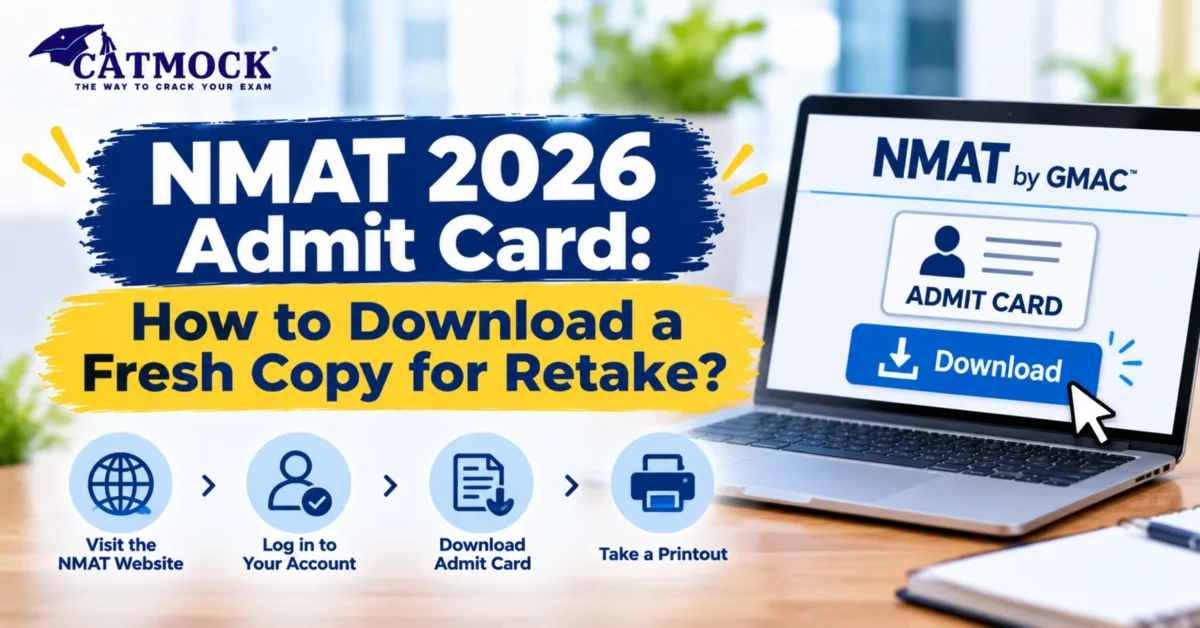
Booked your NMAT retake? Your first-attempt admit card won’t work for it. For NMAT 2026 admit card download for a retake, log in to your NMAT by GMAC dashboard on mba.com, open your retake appointment and download the new card. GMAC says it appears 7 days before your scheduled exam date. You must download and print a fresh copy for every attempt.
NMAT 2026 Retake: Key Facts at a Glance
| Detail | Official information (GMAC) |
|---|---|
| Retake registration and scheduling | 3 November to 17 December 2026 |
| Rescheduling window | Until 17 December 2026 |
| Exam delivery ends | 20 December 2026 |
| Retake fee | INR 3,000 + applicable taxes |
| Reschedule fee | INR 1,200 + applicable taxes |
| Gap between attempts | At least 15 days |
| Maximum attempts | 3, including no-shows, per testing year |
| Admit card availability | 7 days before the scheduled exam date |
Sources: GMAC’s Important Dates & Fees page and the official Admit Card page.
Do You Need a New Admit Card for an NMAT Retake?
Yes. GMAC states that you must download and print a fresh copy of the admit card for each attempt from your dashboard. Each attempt has its own appointment, so the card from your first test shows the old date, time and centre.
How to Do the NMAT 2026 Admit Card Download for a Retake
- Pay for the retake. Open the Retake tab in your existing NMAT by GMAC dashboard and pay INR 3,000 + taxes. You do not need a new account.
- Schedule your slot. Choose the date, time and centre or online mode. The date must be at least 15 days after your previous attempt and at least 24 hours from now.
- Check your email. GMAC’s FAQ says you receive a confirmation email within 24 hours of scheduling.
- Log in 7 days before the test. Go to mba.com/exams/nmat and sign in with your registered credentials.
- Download and print. Open the admit card for the retake attempt, save the PDF and take a clear printout.
Note: One GMAC FAQ line says the card can be downloaded after registration payment, while the admit-card page says 7 days before the exam. Follow your dashboard. If your retake date is less than 7 days away and the card is missing, contact the NMAT helpdesk (see the fixes table below).
When Will Your Retake Admit Card Be Available?
The card appears on a rolling basis, based on your own slot. It does not release for everyone on one date.
| Your retake slot | Card should be available from (example) |
|---|---|
| 1 December 2026 | 24 November 2026 |
| 10 December 2026 | 3 December 2026 |
| 20 December 2026 | 13 December 2026 |
These dates apply the official 7-day rule. They are examples, not a GMAC release calendar.
What to Check on Your Admit Card
| Check this | Why it matters |
|---|---|
| Name | It must match your photo ID exactly |
| Photo | It must be clear and match your ID photo |
| Date and time | Confirm it is the retake slot, not the old one |
| Centre or mode | Test centre and online-at-home are separate modes |
| Registration details | Confirms the card belongs to your account |
GMAC says you will not be allowed to test if the proctor cannot verify your identity because of a name mismatch or an unclear photo.
ID Proof to Carry (India)
Carry the admit card plus one original, non-expired photo ID with a recent photo:
- Aadhaar card
- Indian passport
- PAN card
- Voter ID card
- Driving licence
GMAC does not accept learner’s licences, photocopies (attested or otherwise), notarised copies, or IDs with childhood or outdated photos. It also states that the exam fee is not refunded if you cannot produce valid ID and the admit card.
Common Admit Card Problems and Fixes
| Problem | What to do |
|---|---|
| Photo is blank or unclear | Email nmatsupport@gmac.com to update the photo (official instruction) |
| Name differs from your ID | Contact NMAT support before test day; the name must match your ID |
| No confirmation email after 24 hours | Use the help option on mba.com/nmat |
| Card shows the first attempt | Open the retake appointment in your dashboard, not the earlier one |
| Retake slot not visible | Confirm payment and scheduling are complete |
Rescheduling and Your Admit Card
You can reschedule 72 hours or more before your appointment, subject to seat availability, for INR 1,200 + taxes. The last rescheduling date is 17 December 2026. You cannot change the exam mode for the same attempt. You can choose a different mode when you schedule a later retake.
After you reschedule, open your dashboard again and check that the admit card shows the new date, time and centre. This is a practical check, not a GMAC rule.
How Late Can You Take the Retake?
GMAC requires a minimum 15-day gap between attempts, and exam delivery ends on 20 December 2026. By our calculation from those two rules, a retake on 20 December needs your previous attempt on or before 5 December. Seats are first come, first served, so book early.
Use the Gap Between Attempts Well
Fifteen days is enough to fix specific weak areas. Take a full-length mock from CATMOCK’s NMAT mock tests. Then drill the weakest section with NMAT sectional tests. Our guide on NMAT difficulty level helps you judge what to change. You can also browse the CATMOCK test series and read About Exams.
Frequently Asked Questions
Do I need a new NMAT admit card for a retake?
Yes. GMAC says you must download and print a fresh copy of the admit card for each attempt from your NMAT by GMAC dashboard.
When can I download the NMAT 2026 admit card for my retake?
GMAC says the admit card is available for download 7 days before your scheduled exam date.
Where do I download the NMAT admit card?
Log in to your NMAT by GMAC dashboard through mba.com/exams/nmat, open the retake appointment and download the admit card.
Can I use my first-attempt admit card for the retake?
No. Each attempt needs its own admit card, and the first-attempt card shows the earlier slot.
What if my admit card photo is blank?
Email nmatsupport@gmac.com to update the photo. The photo on the admit card must match your photo ID.
Can I reschedule after downloading my admit card?
Yes, if you reschedule 72 hours or more before the test, subject to availability, for INR 1,200 + taxes. The rescheduling window ends on 17 December 2026.
How many times can I take NMAT by GMAC?
You can take NMAT up to three times in a testing year (first attempt plus two retakes), including no-shows, with at least 15 days between attempts.
What ID do I need with the NMAT admit card?
Carry one original, non-expired photo ID with a recent photo, such as Aadhaar, an Indian passport, PAN, voter ID or driving licence. Photocopies are not accepted.
Conclusion
A retake means a new appointment, so it needs a new admit card. Pay, schedule, watch for the confirmation email, then download and print your card from the dashboard 7 days before the test. Match your name and photo to your ID and carry the original proof.
You May Also Like : CATMOCK, CATMOCK PYQ
Follow Us On : Facebook, Instagram, Youtube