
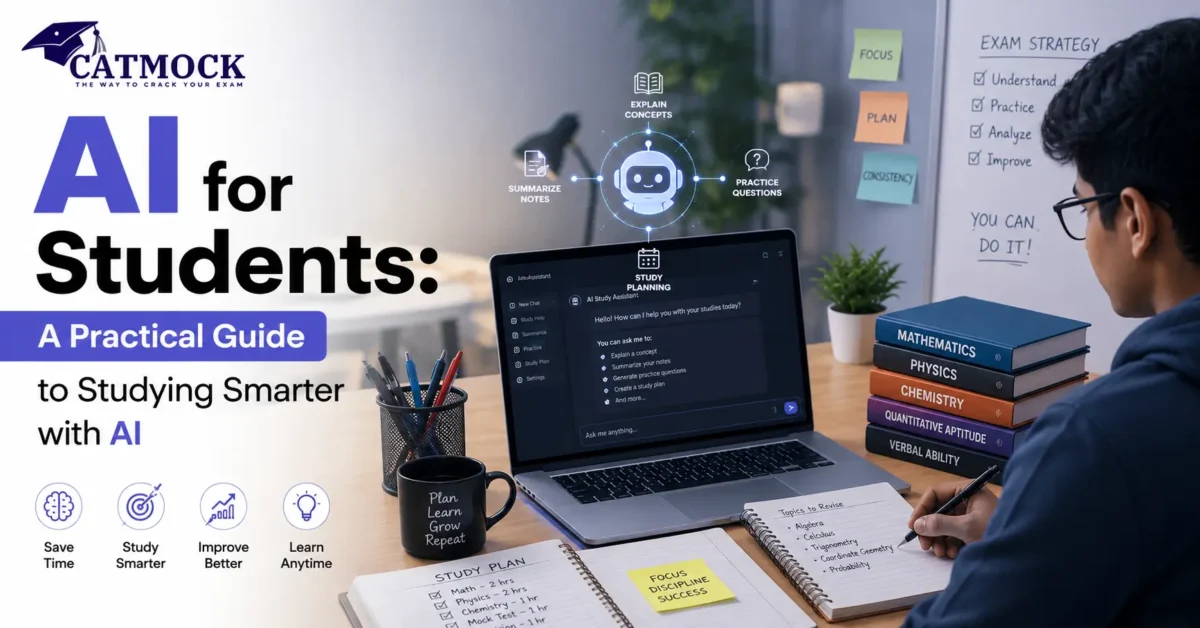
AI for students has moved from a novelty to a daily study habit. Whether you’re revising for school exams, prepping for CAT or another MBA entrance test, or just trying to manage a packed semester, AI tools can genuinely lighten the load — if you know how to use them well.
Quick answer: AI for students refers to using AI chatbots and study tools to plan revision, explain difficult concepts, generate practice questions, summarize material, and analyze mock test performance. Many of the most useful tools are free or have generous free tiers, and they work best as a study assistant that supports your preparation, not a replacement for it.
This guide covers exactly how students — especially those preparing for CAT and other MBA entrance exams — can use AI practically across study planning, VARC, DILR, Quant, mock analysis, GD-PI, and revision, along with the real limitations you need to know before you rely on it.
Key Takeaways
- AI for students works best as a study assistant, not a substitute for practice and understanding.
- Free AI tools can already handle study planning, concept explanations, practice question generation, and summarizing notes.
- For CAT and MBA preparation, AI is especially useful for mock test analysis, revision scheduling, and VARC/DILR/Quant practice — when paired with real timed practice.
- Well-written prompts make a measurable difference in output quality; vague prompts get vague answers.
- AI can hallucinate facts, so always verify anything AI tells you against your syllabus or a trusted source.
- Coding students have their own dedicated AI assistants too — for example, verified students can access GitHub Copilot for students for free, which is worth knowing about even if your main focus is CAT or MBA prep.
What Is AI for Students?
AI for students means using artificial intelligence tools — mainly AI chatbots and specialized study apps — to support learning tasks that used to take hours of manual effort. That includes explaining a concept you’re stuck on, turning your notes into a quiz, building a realistic study schedule, or reviewing your mock test performance for patterns you might have missed.
The important distinction is between AI as a learning assistant and AI as a shortcut. Used well, it compresses the time between “I don’t understand this” and “I understand this,” and frees up hours for the deliberate practice that actually builds exam-ready skills. Used poorly, it becomes a way to skip the thinking altogether — which shows up painfully in a live exam, an interview, or a job that expects you to reason without a chatbot open in another tab.
AI Tools for Students: Practical Use Cases
Before diving into CAT-specific applications, it helps to see the full range of what AI can realistically do for a student’s day-to-day workload.
| AI Use Case | How It Helps Students | Example |
|---|---|---|
| Study planning | Builds a structured schedule based on your available time, syllabus, and deadlines | Ask an AI chatbot to turn your exam date and weak topics into a week-by-week plan |
| Concept explanation | Breaks down a difficult topic into simpler language, with examples | Ask “explain permutations and combinations like I’m learning it for the first time” |
| Practice question generation | Creates fresh questions on a topic, at a difficulty level you choose | Ask for 10 medium-difficulty questions on a specific chapter |
| Quiz creation | Converts your notes or a chapter into a self-test | Paste a summary and ask for a 10-question quiz with answers |
| Summarizing material | Condenses long chapters, articles, or PDFs into key points | Summarize a long editorial for quick revision before an exam |
| Vocabulary building | Explains word meanings, usage, and provides practice sentences | Ask for 10 new words from a reading passage with usage examples |
| Mock-test analysis | Reviews your scorecard and highlights patterns in errors and time use | Paste your section-wise scores and ask what’s costing you the most marks |
| Interview and GD/PI prep | Simulates questions and gives structured feedback on answers | Ask AI to role-play a panel interviewer and critique your responses |
Source: Author’s analysis based on the above-mentioned official resources.
Top 10 AI Tools for Students in 2026
If you’re looking for a straight answer to “which AI tools should I actually install,” here are the top 10 AI tools for students worth knowing about in 2026. This isn’t a ranked “best to worst” list — different tools solve different problems, and most students only need three or four of these at once.
| # | Tool | Best For | Free Tier | Key Feature for Students |
|---|---|---|---|---|
| 1 | ChatGPT | General-purpose study assistant | Yes | Explains concepts, plans schedules, generates practice questions on almost any subject |
| 2 | Google Gemini | Study help integrated with Google apps | Yes | Works directly inside Docs, Sheets, and Gmail, useful if you already live in Google Workspace |
| 3 | Claude | Long-form writing, reasoning-heavy tasks | Yes | Strong at explaining multi-step reasoning and working through longer documents |
| 4 | Google NotebookLM | Turning your own notes/PDFs into a study aid | Yes | Answers questions strictly from the sources you upload, reducing made-up facts |
| 5 | Perplexity | Research with citations | Yes | Shows sources alongside answers, useful for GD/PI current-affairs prep |
| 6 | Grammarly | Writing and grammar checking | Yes | Catches errors in essays, WAT responses, resumes, and emails |
| 7 | Quizlet | Flashcards and self-testing | Yes | Turns notes into flashcards and practice quizzes for quick revision |
| 8 | Wolfram Alpha | Math and computation | Yes (basic) | Solves and verifies calculations with precision, useful for checking Quant work |
| 9 | Notion AI | Note organization plus AI assistance | Limited/trial | Combines your notes, planner, and AI assistant in one workspace |
| 10 | GitHub Copilot | Coding assistance inside your editor | Yes, and free for verified students | Suggests code, explains errors, and speeds up programming coursework — see GitHub Copilot for students for the full free-access guide |
Source: Author’s analysis based on the above-mentioned official resources.
A practical way to choose from this list: start with one general-purpose assistant (ChatGPT, Gemini, or Claude) for explanations and planning, add NotebookLM or Quizlet if you deal with heavy reading or need frequent self-testing, and add Grammarly if writing quality matters for your applications or WAT rounds. Only add a coding-specific tool like GitHub Copilot if your course or exam prep actually involves programming — CAT and most MBA entrance exams won’t need it, but data science electives and coding-heavy programs will.
Using AI Tools for Exam Preparation
Exam preparation is where AI earns its keep, mostly because exam prep is repetitive by nature — and repetitive tasks are exactly what AI is good at accelerating.
AI Tool Categories and What They’re Best For
| AI Tool Category | Best Use | Student Benefit |
|---|---|---|
| General-purpose AI chatbot | Concept explanation, Q&A, planning, practice questions | One flexible tool that covers most study needs |
| Note-organizing / document AI | Summarizing lecture notes, PDFs, and textbooks | Turns scattered material into quick, revisable summaries |
| Writing and grammar assistant | Checking essays, WAT responses, emails, resumes | Improves clarity and catches errors before submission |
| Coding assistant | Autocompleting and explaining code inside an editor | Speeds up programming coursework and projects — see GitHub Copilot for students for a free option built for verified students |
| Computation / math engine | Solving and verifying calculations, graphs, formulas | Useful for checking quantitative work with precision |
Source: Author’s analysis based on the above-mentioned official resources.
Most students don’t need every category — pick one general-purpose assistant, add a note-summarizing tool if you deal with heavy reading loads, and add a coding assistant only if your coursework involves programming.
AI for CAT Preparation
CAT and other MBA entrance exams reward structured, deliberate practice more than raw hours studied — which is exactly the kind of preparation AI can help you organize and sharpen.
How AI Helps Across CAT Preparation Areas
| CAT Preparation Area | How AI Can Help | Example Prompt |
|---|---|---|
| VARC | Explains reading comprehension strategies, builds vocabulary, generates practice passages | “Explain how to eliminate wrong options in RC questions, then give me a practice passage” |
| DILR | Breaks down set types, teaches frameworks for arrangements and puzzles | “Explain how to approach a seating arrangement DILR set step by step” |
| Quant | Teaches shortcuts, explains formulas, generates practice problems by topic | “Give me 10 CAT-level questions on Time, Speed and Distance with solutions” |
| Study planning | Builds a realistic day-wise or week-wise revision timetable | “Create a 30-day CAT revision plan based on my weak areas in Quant and DILR” |
| Mock-test analysis | Reviews scorecards and identifies where marks are being lost | “Analyze my last three mock scorecards and tell me my biggest improvement area” |
| GD/PI preparation | Simulates interview questions and evaluates responses | “Act as a CAT interview panelist and ask me about my choice of specialization” |
Source: Author’s analysis based on the above-mentioned official resources.
If you want ready-made prompts rather than writing your own from scratch, CatMock has already put together a detailed set of AI prompts for CAT preparation covering concept mastery, mock analysis, VARC, DILR, Quant, and mindset — worth bookmarking alongside this guide.
Study Planning and Revision Schedules
A good study plan accounts for your actual available time, not an idealized version of it. AI is genuinely useful here because it can take constraints you give it — hours per day, weak topics, exam date — and turn them into a structured schedule in seconds, something that usually takes real effort to plan manually. The plan is only as good as the honesty of your inputs, though: if you tell it you have four hours a day and you actually have two, the schedule will be unrealistic from day one.
Explaining Difficult Concepts
Whether it’s a Quant topic like Logarithms or a DILR set structure you haven’t seen before, AI chatbots are effective at re-explaining a concept in a different way until it clicks. Ask for the concept to be explained “from basics,” then ask for a harder example once the basics feel solid — layering complexity works better than asking for everything at once.
If DILR set structures are your specific weak spot, it’s worth pairing AI-generated explanations with a structured breakdown of the CAT DILR syllabus so your practice stays aligned with what’s actually tested.
Generating Practice Questions and Quizzes
Once you understand a concept, the next step is testing yourself on it — and AI can generate fresh practice questions at your chosen difficulty level, which is useful when you’ve exhausted the questions in your usual study material. Ask for a mix of easy, medium, and hard questions so you’re not just practicing at one level.
Summarizing Study Material
Long chapters, dense articles, and lengthy notes can be summarized into key points for faster revision closer to exam day. This is particularly useful for VARC preparation, where reading widely matters but re-reading full articles during final revision isn’t always practical. For a structured view of what to prioritize in VARC itself, the CAT VARC syllabus breakdown is a useful companion.
Improving Vocabulary
AI tools can explain unfamiliar words from a reading passage, provide usage examples, and quiz you on retention — a faster loop than manually looking up and noting down each new word.
VARC Preparation
Beyond vocabulary, AI can help you practice reading comprehension strategy: identifying the main argument of a passage, eliminating trap answer choices, and building the reading speed and comprehension needed under time pressure.
DILR Practice
DILR rewards pattern recognition. AI can walk you through different set types — arrangements, puzzles, data sufficiency, games and tournaments — and explain the logical framework behind each, though the real skill only develops once you’ve applied that framework to enough timed sets.
Quant Practice
For Quant, AI is useful for two things: teaching shortcuts and mental math techniques for a specific topic, and generating fresh practice problems once you’ve worked through your usual material. If you need a formula reference while doing this, CatMock’s arithmetic formula sheet is a useful companion for the Arithmetic-heavy parts of Quant.
Mock-Test Analysis
This is one of the highest-value uses of AI in CAT prep. Instead of just noting your overall percentile, paste your section-wise scorecard — attempts, accuracy, time spent — and ask AI to identify patterns: which sections you’re losing the most marks in relative to time invested, whether your accuracy or your question selection is the bigger issue, and what a stronger scorer might have done differently on the same paper.
Interview Preparation and GD/PI
AI can simulate a panel interview, ask likely questions based on your profile, and give structured feedback on clarity, structure, and confidence in your answers. It’s not a substitute for live practice with real people, but it’s a solid way to rehearse before those sessions. CatMock has covered this in more depth in a dedicated piece on using AI for GD-PI preparation, including where AI genuinely helps and where it falls short.
Resume and Profile Preparation
For MBA applications, AI can help tighten your resume language, check for clarity and consistency, and suggest ways to phrase your work experience more precisely — though the substance of your profile still has to come from you.
Time Management and Exam Strategy
AI can help you build a realistic time-allocation strategy for exam day — how many minutes per section, when to move on from a stuck question — based on your strengths and weaknesses, though this needs to be tested and adjusted across real mock attempts, not just planned in theory.
AI for MBA Students
Once you’re through the entrance exam and into a B-school, AI tools remain useful — for summarizing case studies, structuring assignments, preparing for group projects, and practicing for placement interviews. The core principle stays the same: AI works best when it’s helping you think through material faster, not thinking through it for you.
Students with any coding or data coursework as part of their MBA — increasingly common given the rise of business analytics electives — can also benefit from AI coding assistants. If that applies to you, it’s worth knowing that verified students get free access to GitHub Copilot for students, which extends the same “AI as assistant” principle to programming assignments.
AI for Students: Do’s and Don’ts
| Approach | Recommended Approach | Why |
|---|---|---|
| Verifying AI-generated facts | Always cross-check facts, dates, and data against your syllabus or a trusted source | AI models can generate plausible-sounding but incorrect information |
| Using AI on graded work | Check your school or institution’s AI policy before using it on submitted assignments | Many institutions have specific rules on permitted AI use for academic work |
| Practicing without AI | Do a portion of your practice — especially timed mocks — without any AI assistance | Exam-day performance depends on skills you’ve built independently, not tools you’ll have with you |
| Asking “why,” not just “what” | Ask AI to explain its reasoning, not just give you the final answer | Understanding the reasoning is what transfers to a new, unseen question |
| Relying on a single AI response | Treat AI output as a first draft or a starting point, not a final answer | A second look, or a different prompt, often reveals gaps or errors |
Source: Author’s analysis based on UNESCO’s guidance on generative AI in education and the UNESCO AI competency framework for students.
Limitations of AI for Students
AI tools are genuinely useful, but they come with real limitations students should keep in mind:
- AI can hallucinate. It can generate incorrect facts, wrong dates, or made-up statistics with total confidence. Always verify anything factual against a reliable source.
- It doesn’t know your exact syllabus or exam pattern changes unless you tell it, so double-check any exam-specific claims against official exam resources.
- Over-reliance weakens the skills exams are testing. If AI is doing the reasoning for you, you’re not building the reasoning skill the exam is designed to measure.
- It can’t replace timed practice. Reading an explanation is not the same as solving a question under exam pressure — mock tests still matter more than any AI conversation.
- Academic integrity policies vary. Some institutions restrict AI use on graded assignments; using it where it isn’t permitted can create real academic consequences.
- Free tiers have limits. Most free AI tools cap the number of messages, uploads, or advanced features you can use per day or month.
UNESCO’s own guidance on generative AI in education makes a similar point: the goal is a human-centered approach where AI supports learning without displacing the critical thinking and judgment that education is meant to build.
How to Use AI Without It Turning Into Cheating
The line between “using AI to learn” and “using AI to skip learning” usually comes down to one question: could you explain the answer yourself, right now, without looking at the AI response again? If yes, you’ve learned something. If not, you’ve just outsourced the thinking — and that gap will surface later, in an exam room where no AI tool is allowed.
A few practical habits keep you on the right side of that line: write your own first attempt before asking AI for help, ask it to explain reasoning rather than just give answers, and always check your institution’s specific policy before using AI on anything that’s graded.
Frequently Asked Questions
How can students use AI for studying?
Students can use AI to build revision schedules, get concept explanations in simpler language, generate practice questions and quizzes, summarize long reading material, and review mock test performance for patterns.
Which AI is best for students?
There’s no single “best” AI tool — a general-purpose AI chatbot covers most needs like explanations and planning, while specialized tools help with note summarizing, writing, or coding depending on what your coursework requires.
What are the top 10 AI tools for students?
The top 10 AI tools for students in 2026 span general assistants (ChatGPT, Gemini, Claude), study and note tools (NotebookLM, Quizlet), research (Perplexity), writing (Grammarly), computation (Wolfram Alpha), organization (Notion AI), and coding (GitHub Copilot) — most students only need three or four of these at a time, chosen based on their actual coursework.
Is AI free for students?
Many AI tools offer free tiers that cover core study needs like chat-based explanations and basic planning, though advanced features often require a paid plan. Some AI tools also have dedicated student programs — for example, coding students can get GitHub Copilot for students free through verified student status.
Can AI help with exam preparation?
Yes. AI can explain difficult concepts, generate practice questions at your chosen difficulty, build study schedules, and analyze your mock test performance to highlight where to focus next.
How can AI help with CAT preparation?
AI can support CAT prep through study planning, concept explanations for VARC/DILR/Quant, generating fresh practice questions, and detailed mock-test analysis that identifies where you’re losing marks.
Can AI create a CAT study plan?
Yes, if you give it accurate inputs — your available study hours, current strengths and weaknesses, and exam date — it can generate a structured day-wise or week-wise plan, which you should still adjust as your actual progress becomes clear.
Can AI help with CAT mock analysis?
Yes. Pasting your section-wise scorecard and asking AI to identify patterns in accuracy, attempts, and time management is one of the most practical ways to use AI in CAT preparation.
Can AI generate practice questions?
Yes, on almost any topic and at a difficulty level you specify, which is useful once you’ve worked through your regular study material and want more practice.
Is AI useful for MBA students?
Yes, both before and after admission — for entrance exam prep, and later for coursework support like summarizing case studies, structuring assignments, and interview practice.
Can students use AI for revision?
Yes. AI is particularly effective for revision because it can quickly summarize material, generate quiz-style self-tests, and re-explain concepts you’ve forgotten since your first pass through them.
How can students use AI without cheating?
Use AI to explain and support your understanding rather than to generate final answers you submit as your own work, check your institution’s AI policy on graded assignments, and make sure you can explain any AI-assisted answer yourself afterward.
What are the disadvantages of AI for students?
AI can produce incorrect information, doesn’t replace timed practice, can weaken critical thinking if overused, and has usage limits on most free tiers — all reasons to treat it as a supplement rather than a primary study method.
Which AI tools are useful for students?
Broadly, a general-purpose AI chatbot for explanations and planning, a document-summarizing tool for heavy reading loads, a writing assistant for essays and applications, and — for students with programming coursework — a coding assistant such as GitHub Copilot for students.
How can AI improve exam preparation?
By reducing the time spent on repetitive tasks like summarizing notes or generating practice questions, freeing up more time for the deliberate, timed practice that actually builds exam performance.
You Might Also Like
Conclusion
AI for students works best as exactly what it sounds like — a study assistant, not a stand-in for the work itself. Used well, it can shorten the time between confusion and understanding, turn a messy revision plan into a structured one, and give you honest feedback on your mock performance that’s easy to miss on your own. For CAT and MBA preparation specifically, that shows up most clearly in study planning, concept explanations across VARC, DILR, and Quant, and detailed mock-test analysis.
The habits that separate students who benefit from AI and students who get hurt by it aren’t complicated: verify what it tells you, ask it to explain reasoning rather than hand you answers, and keep doing real timed practice without it. Start with one or two tools, use CatMock’s own AI prompts for CAT preparation as a starting point if you’re not sure what to ask, and let AI do what it’s actually good at — freeing up your time and attention for the preparation that only you can do.
You May Also Like : CAT MOCK, CAT MOCK PYQ
Follow Us On : Facebook, Instagram